Set your rules
Define the rate adjustment logic you need. We’ll demonstrate the available Revenue Rules conditions and settings.
HOTELPROFIT / REVENUE RULES
HotelProfit Revenue Rules automatically increases or decreases room rates according to your rules. Define your pricing logic and use it in daily operations.
PRICING AUTOMATION
Define the rate adjustment logic you need. We’ll demonstrate the available Revenue Rules conditions and settings.
The system adjusts room rates automatically according to your rules, supporting both upward and downward changes.
Regularly evaluate your pricing strategy and review settings as your hotel’s needs change.
BUILT AROUND YOUR STRATEGY
During the demo, we’ll confirm supported rules, adjustment methods and interaction with your sales channels.
FROM DATA TO ACTION
Use hotel metrics and market context when creating rules. Automation follows the logic you set; strategic decisions remain with your team.
HOTELPROFIT / SYSTEM INTERFACE
Priority, applicable days, room-count conditions and rate modifiers in one list.
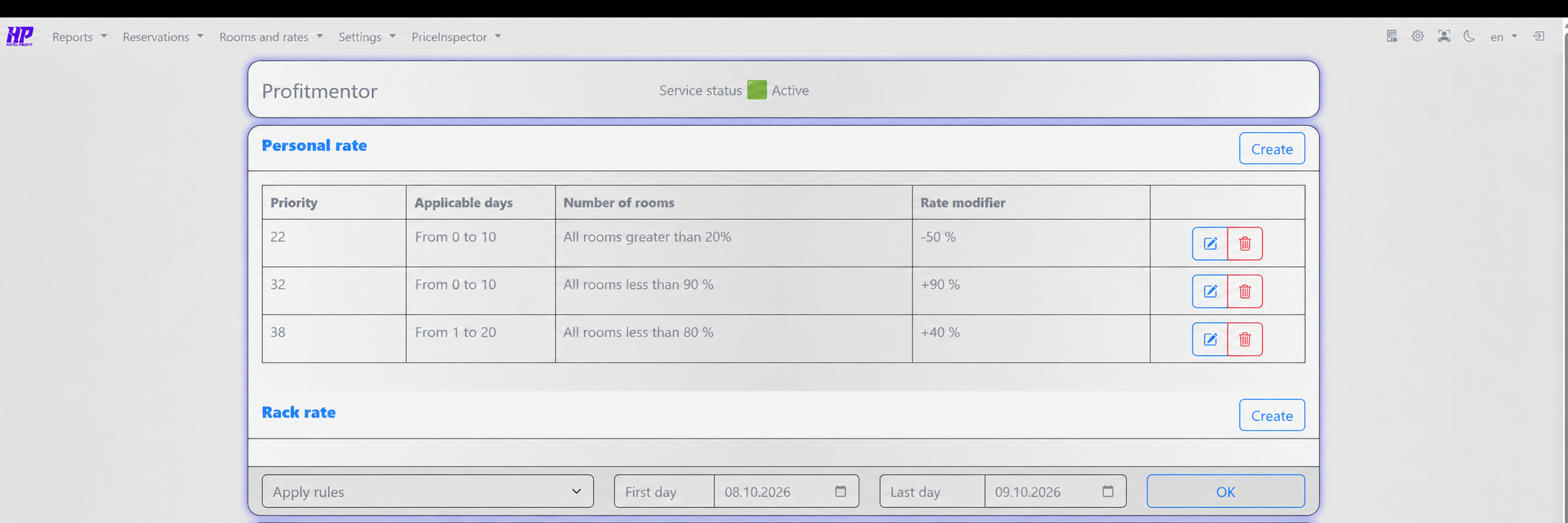
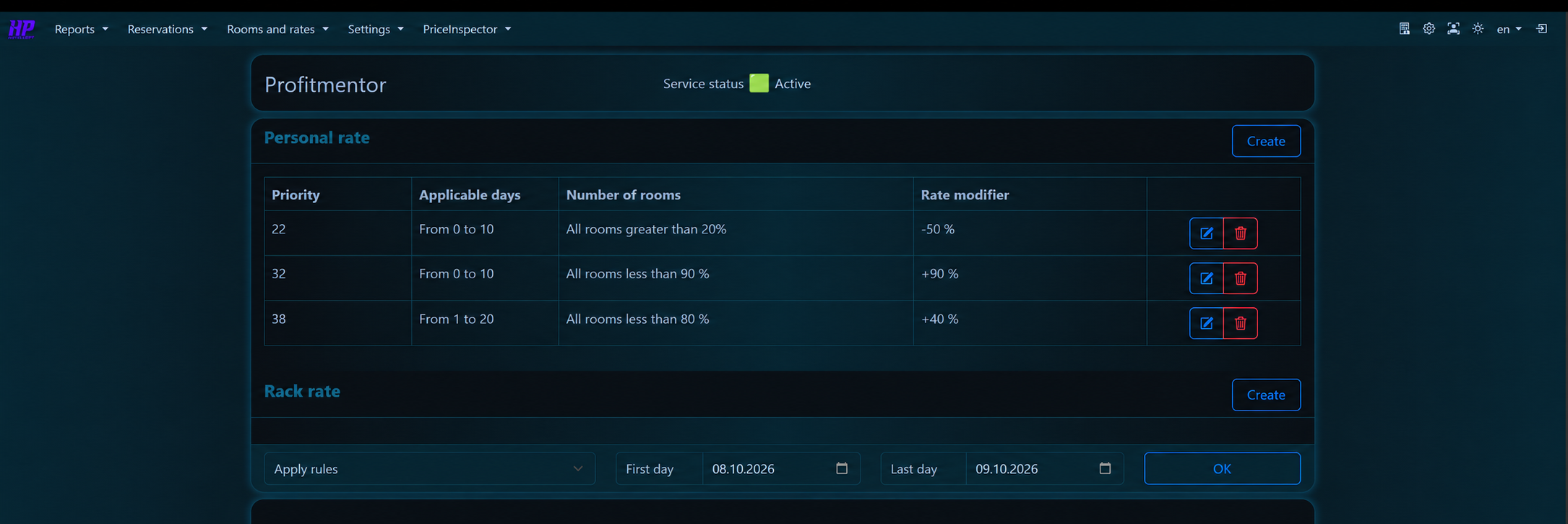
| Priority | Applicable days | Number of rooms | Rate modifier |
|---|---|---|---|
| 22 | from 0 to 10 | All rooms greater than 20% | −50% |
| 32 | from 0 to 10 | All rooms less than 90% | +90% |
| 38 | from 1 to 20 | All rooms less than 80% | +40% |
The screenshot parameters are an example configuration, not pricing advice.
SEE THE MODULE IN ACTION
We’ll demonstrate the features and discuss settings for your hotel.